Book your free demo

Discover how our product can simplify your workflow. Schedule a free, no-obligation demo today.

[contact-form-7 id="eed60bd" title="Get a demo - Side Panel"]

Social Media:

Your entire dealership. Moving as one.

Add stock in seconds, keep your website current and organise every customer enquiry through one clear, dealer-focused platform.

Registration lookup AI-assisted descriptions Mobile friendly Website and hosting included
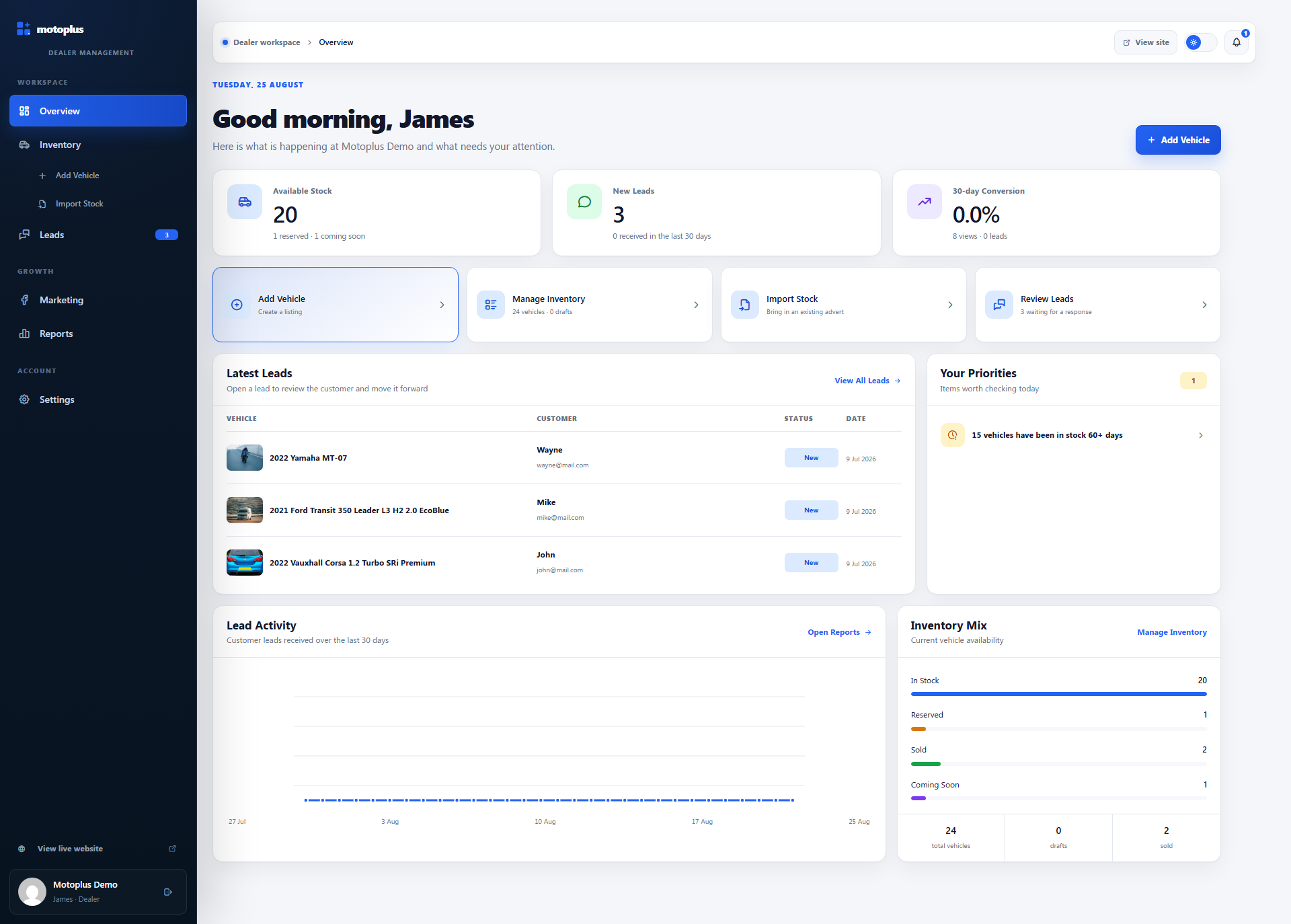
Motoplus platform dashboard shown on desktop
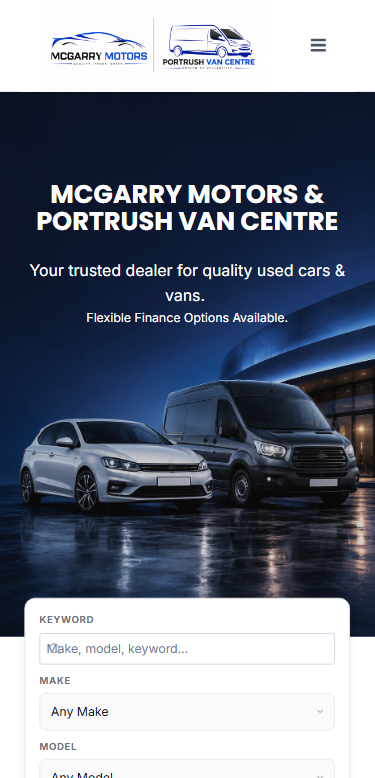
Motoplus dealer website shown on mobile
One connected system Manage it. Publish it. Sell it.
Built for independent vehicle dealers

Powerful enough for the job. Simple enough for everyday use.

Motoplus gives independent dealers the essential tools needed to manage vehicle stock and keep their website current, without the complexity of a large dealership management system.

01 / SIMPLE

Easy for your team to use

A clear, dealer-focused interface that makes adding and updating vehicles straightforward from the office or forecourt.


02 / CONTROL

Your stock on your own website

Keep control of how your dealership and vehicle stock are presented, rather than relying entirely on third-party marketplaces.

03 / SUPPORT

The technical side handled for you

Website setup, hosting and ongoing technical support are included, so you do not need to manage WordPress or website maintenance.

How it works

From forecourt to website in three clear steps.

Add a vehicle without repeatedly typing specifications or making separate website updates. Motoplus keeps the process quick, clear and manageable from desktop, tablet or mobile.

01

Enter the registration

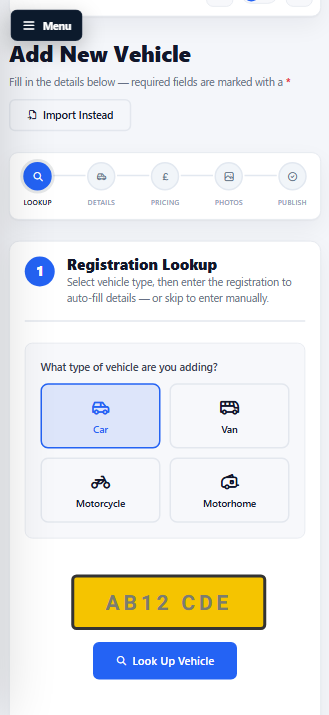
Enter the vehicle registration and Motoplus retrieves the available vehicle details, reducing repetitive data entry.
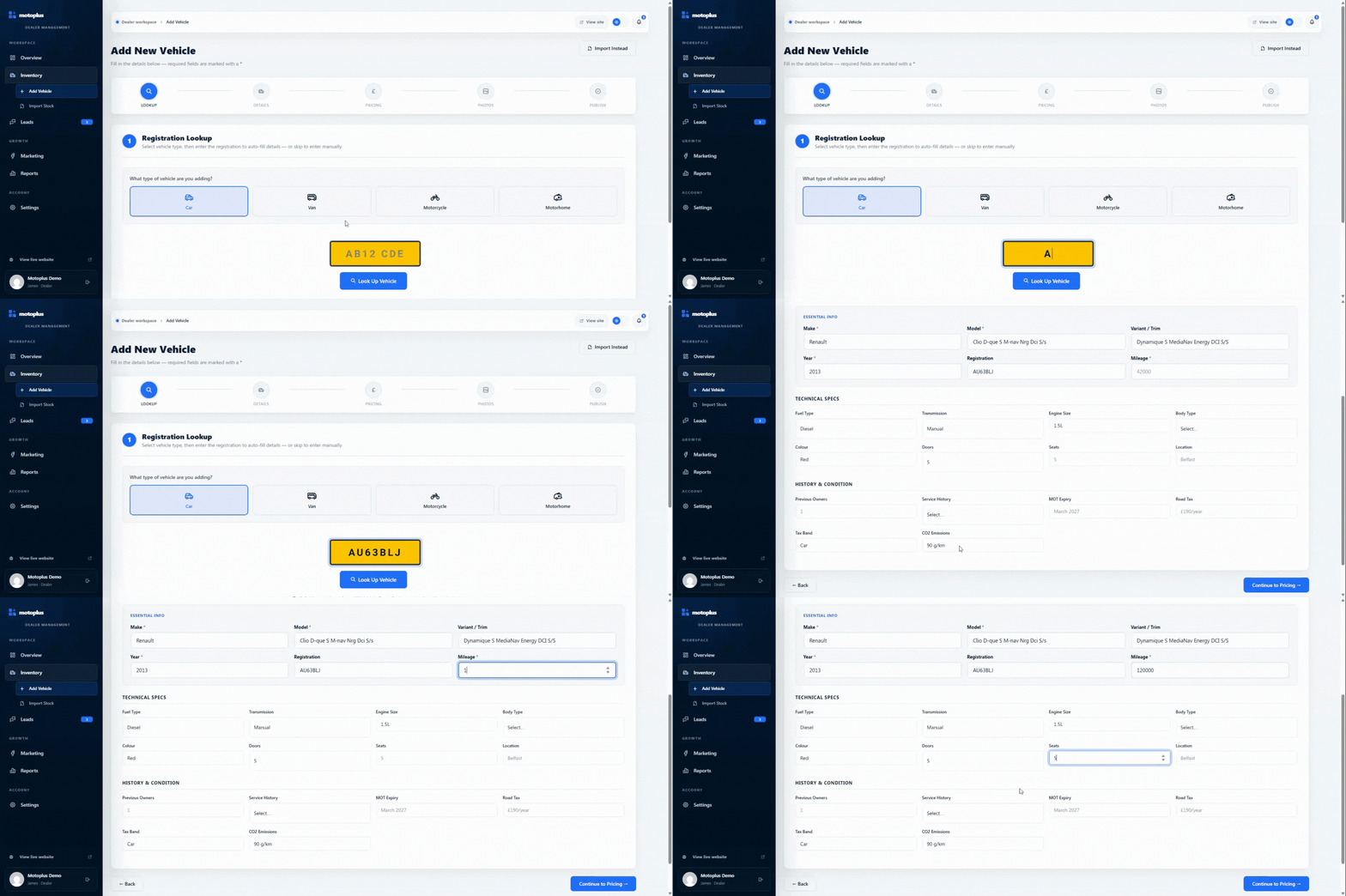
Motoplus vehicle creation screen
02

Add photos and create the description

Upload the photographs, confirm the mileage and price, then generate a professional description ready for you to review.
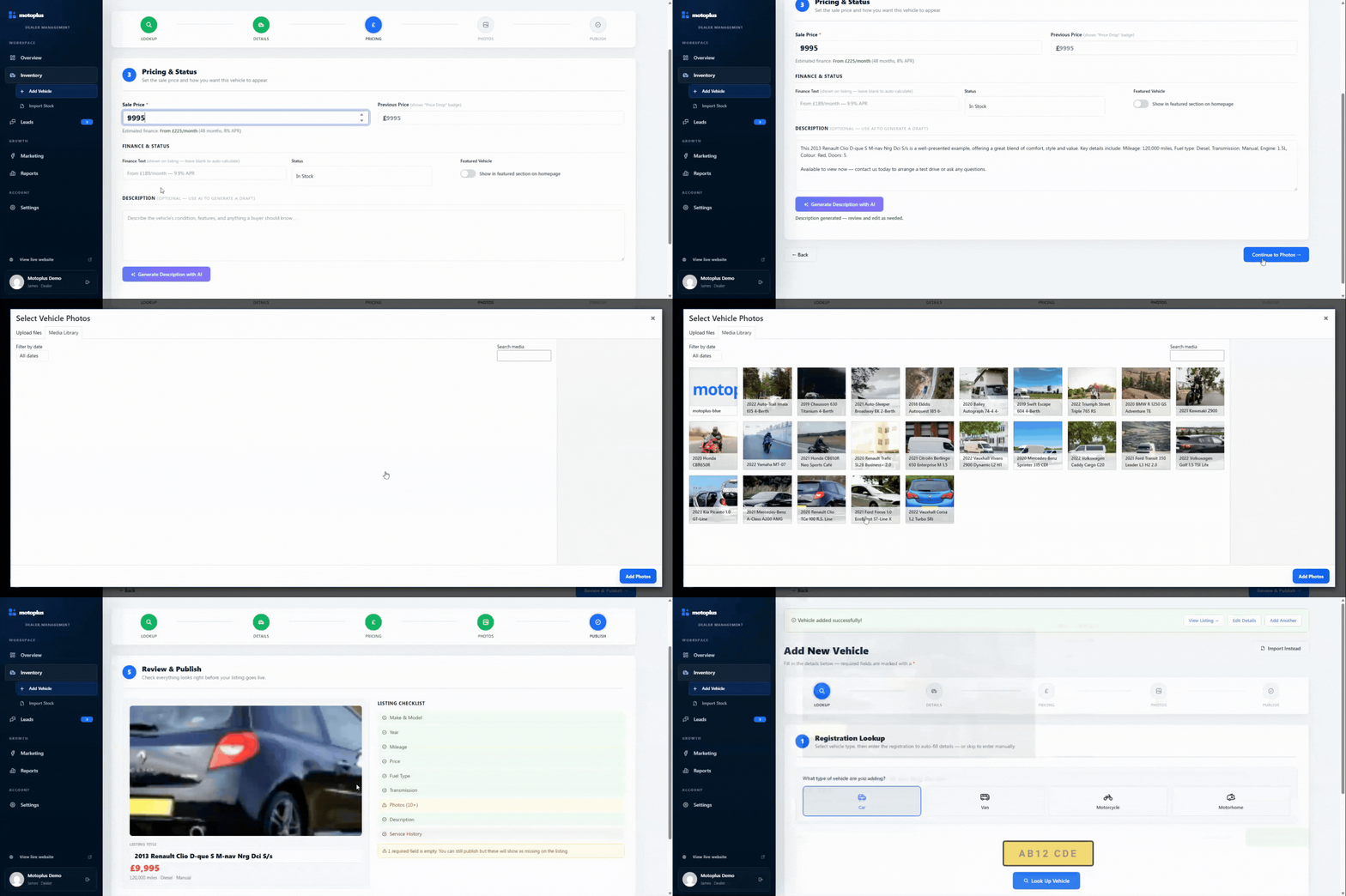
Vehicle published through Motoplus
03

Publish it to your website

Review the listing and publish it directly to your dealership website. Edit the details or mark the vehicle as sold whenever needed.
Customer enquiries inside Motoplus
The platform

Manage your vehicle stock from one straightforward dashboard.

Add new vehicles, update live listings, review customer enquiries and keep your dealership website current without switching between separate systems.
Add, edit and organise vehicle stock Manage available, reserved and sold vehicles View customer enquiries alongside each vehicle
Motoplus dealership management platform on desktop
Motoplus dealership management platform on mobile
Your stock and enquiries in one place
Dealer websites with built-in stock management

A professional dealer website, connected directly to your vehicle stock.

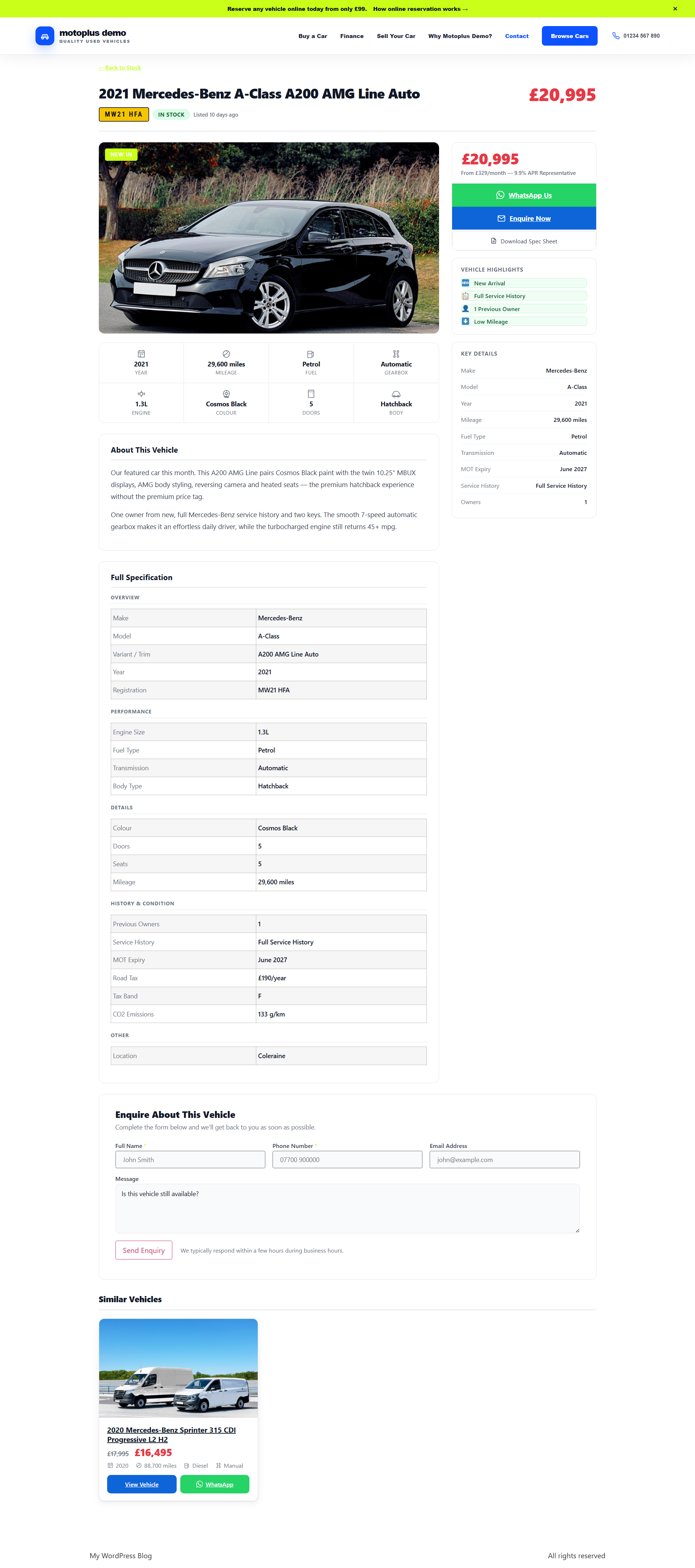
Every Motoplus website is built around your dealership and connected to the stock management platform. Add or update a vehicle once and the changes appear directly on your live website.
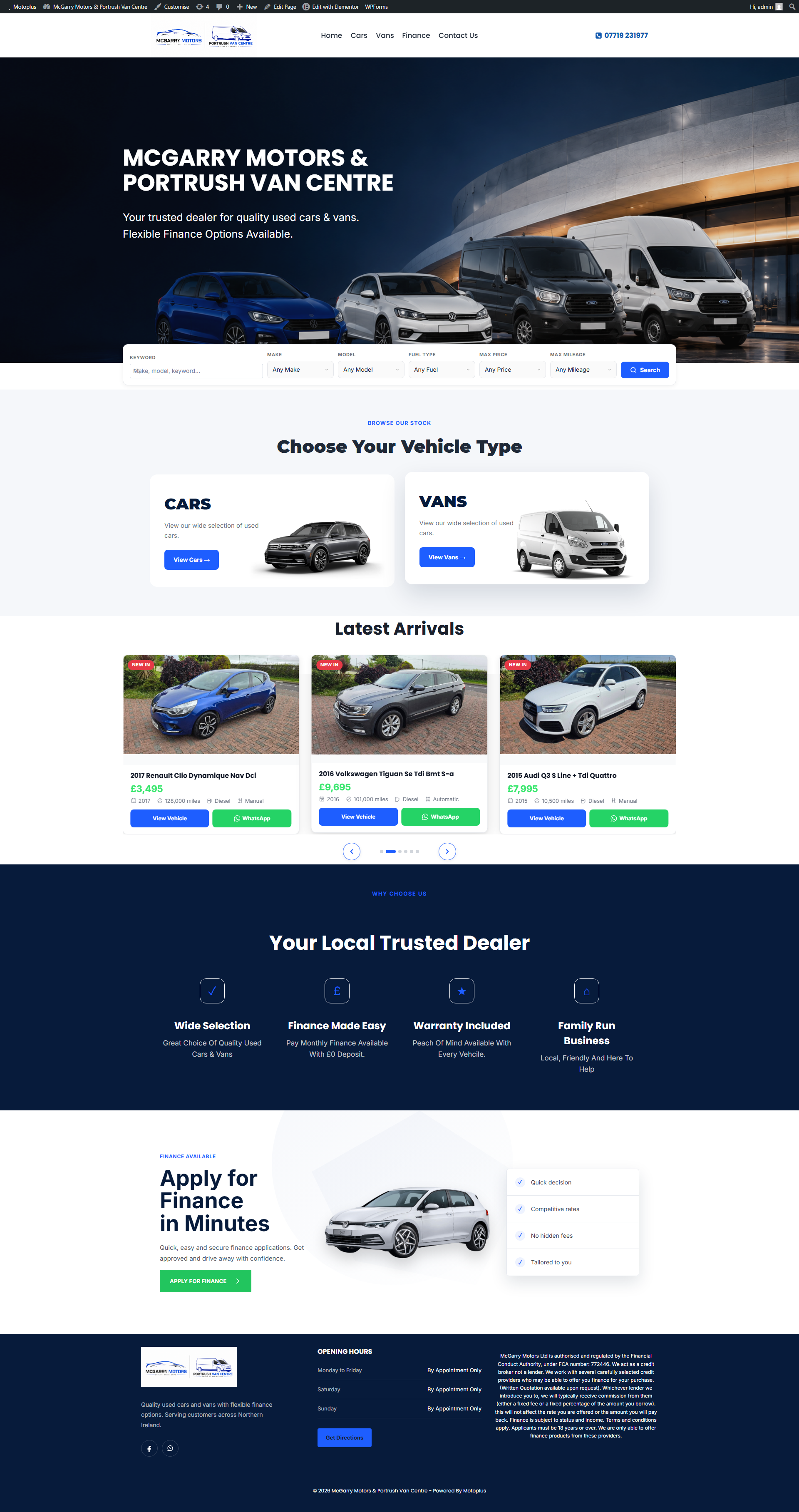
Motoplus-powered dealer website shown on desktop
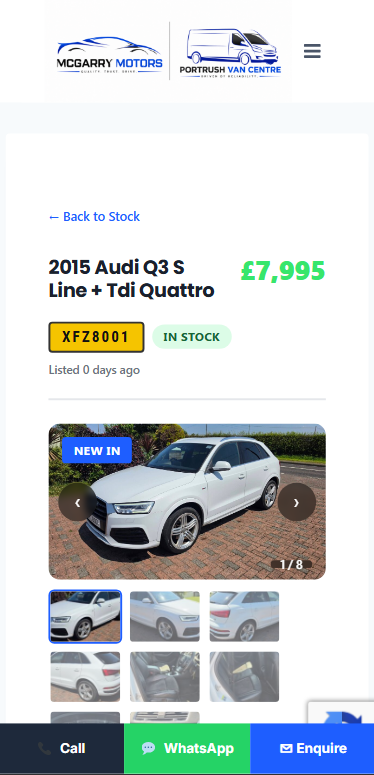
Motoplus-powered dealer website shown on mobile
Your stock, live on your own website
01 Built around your dealership

Your website is designed around your branding, vehicle stock and the customers you want to reach.

02 Designed for mobile buyers

Customers can browse your stock, view vehicle details and enquire from mobile, tablet or desktop.

03 Stock updates automatically

Publish, edit or mark a vehicle as sold in Motoplus and your website stays up to date without duplicate work.

04 Vehicle-specific enquiries

Every vehicle page gives interested customers a clear way to contact the dealership about that exact vehicle.

Built for everyday dealership work.

Everything you need to add, publish and manage vehicle stock.

From entering the registration to publishing the finished listing, Motoplus keeps the entire process simple and organised.

01

Simple stock management

Add, edit, mark as sold and organise vehicles through a straightforward dealer-focused interface.

02

Connected dealer website

Your live vehicle stock feeds directly into a professional website built to represent the dealership well.

03

Organised enquiries

Keep customer messages connected to the vehicle that generated the interest.

04

Work from anywhere

Manage the essentials from desktop, tablet or mobile, whether you are at the desk or on the forecourt.

05

Cloud based

No local installation or complicated maintenance. Sign in securely and access the latest version.

06

Useful visibility

Understand what is live, what needs attention and where customer interest is building.

A simpler way to manage vehicle stock

Add the vehicle once. Keep everything up to date.

Motoplus reduces the repeated work involved in creating listings, updating your website and keeping track of customer enquiries.

Workflow
Without Motoplus
With Motoplus
Adding stock
Type vehicle specifications, pricing and listing details manually.
Enter the registration, review the vehicle details and complete one straightforward listing process.
Writing the description
Write every vehicle description manually or reuse generic wording.
Generate a professional description, then review and edit it before publishing.
Updating the website
Update the vehicle again in a separate website system or wait for someone else to make the change.
Publish, edit or mark the vehicle as sold directly from Motoplus.
Handling enquiries
Search emails and messages to identify which vehicle the customer is asking about.
View the enquiry alongside the relevant vehicle and respond with the correct details.
Frequently asked questions

Everything you need to know before booking a demo.

Straightforward answers about the platform, dealer websites, setup, support and what using Motoplus involves.

Motoplus includes vehicle stock management, registration lookup, AI-assisted vehicle descriptions, a connected dealer website, vehicle-specific enquiries, managed hosting and ongoing support.
Enter the vehicle registration and Motoplus retrieves the available vehicle information from a DVLA-derived data source. You can review and amend the details before publishing the listing.
Motoplus can generate a professional vehicle description using the listing information you provide. You remain in control and can review, edit or replace the description before publishing.
Yes. Motoplus is designed to work across desktop, tablet and mobile, allowing you to add vehicles, upload photographs and update listings while working from the forecourt or office.
Yes. Changes made to a published vehicle in Motoplus are reflected on the connected dealership website, so you do not need to update the same listing in a separate website system.
No. We handle the website setup, hosting and technical maintenance. Your dealership uses the Motoplus interface to manage vehicles and enquiries.
Yes. Motoplus can include a new dealer website connected directly to the stock management platform. We can discuss your current website, domain and vehicle stock during the initial demonstration.
Yes. Motoplus is specifically designed for independent dealerships that want a straightforward way to manage their website stock without the complexity of a large dealership management system.
Yes. Although Motoplus primarily serves independent used car dealers, the platform can also be configured for van, commercial vehicle and motorbike dealerships.
Motoplus is provided through an initial setup fee and a monthly subscription covering the platform, website hosting and ongoing support. Pricing depends on the dealership and website requirements, which we can discuss during your demonstration.
Book a free, no-obligation demonstration. We will show you how a vehicle is added, how the dealer website updates and how Motoplus could work for your dealership.